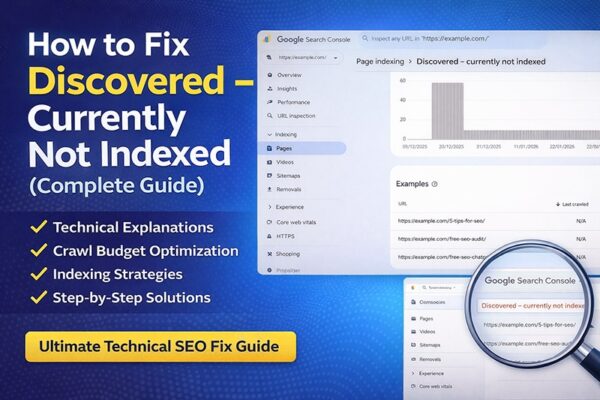
How to Fix “Discovered – Currently Not Indexed” in Google Search Console
“Discovered – currently not indexed” means Google has found your page but hasn’t crawled or indexed it yet. This usually happens due to low crawl priority, weak content, or technical SEO issues. To fix it, improve content quality, strengthen internal linking, and request indexing in Google Search Console.
If your page is stuck in the “Discovered – currently not indexed” status, it means Google knows your page exists but is not prioritizing it for indexing. This guide will help you understand why this happens and how to fix it quickly.
How to Fix “Discovered – Currently Not Indexed” (Quick Steps)
Improve content quality and uniqueness
Add internal links from indexed pages
Update and resubmit your XML sitemap
Request indexing in Google Search Console
Improve crawl budget and website speed
Technical SEO Guide
Solve "Discovered – Currently Not Indexed Problem"
Step-by-step solutions used by SEO professionals to get pages crawled and indexed faster in Google Search Console.
Google Search ConsoleCrawl BudgetTechnical SEOWordPress
If you run a website or blog, you may have seen the status "Discovered – Currently Not Indexed" in Google Search Console. You publish new content, Google finds the URL — but the page never appears in search results.
This guide explains why this happens and how to fix it step-by-step using proven technical SEO strategies used by professionals in the USA and globally.
By the end of this article, you will understand:
What Discovered – Currently Not Indexed means
Why Google delays crawling your pages
How crawl budget and technical SEO affect indexing
Proven methods to get your pages indexed faster
What "Discovered – Currently Not Indexed" Means
In simple terms:
This status in Google Search Console indicates that Google has discovered your page through a sitemap or internal link but has not crawled it yet. It is usually a sign that Google does not consider the page a high priority for indexing.
When Google labels a page "Discovered – Currently Not Indexed", it means:
Google knows the URL exists
Google has not crawled the page yet
The page is waiting in Google's crawl queue
This typically happens when Google finds URLs from:
XML sitemaps
Internal links
External backlinks
Canonical tags
Website navigation
Common Reasons for This Issue
Low-quality or thin content
Weak or no internal linking
Large number of URLs (crawl budget limitations)
Slow website performance
Duplicate or similar pages
Discovered vs. Crawled — What's the Difference?
Many SEO beginners confuse these two statuses. The fixes for both issues are different, which is why understanding this distinction is critical.
Why Google Shows "Discovered – Currently Not Indexed"
Quick Answer: Google prioritizes crawling based on site authority, content quality, and internal linking. If your page lacks strong signals, it may remain unindexed even after being discovered.
There are several common reasons why this problem occurs. Identifying your specific cause is the fastest path to a fix.
📦
Crawl Budget Limitations
Google assigns every site a crawl budget. Duplicate pages, parameter URLs, or thin content causes delays on new pages.
🔗
Weak Internal Linking
Pages with few internal links are treated as low priority. A post buried 4–5 clicks deep may stay undiscovered for weeks.
⚡
Server Performance Issues
Slow TTFB and server overload cause Google to reduce crawl rate to protect your server from being overwhelmed.
🗂️
Too Many Low-Quality URLs
Tag pages, search pages, and filter parameter URLs waste crawl budget and delay indexing of important content.
🆕
New Website / Low Authority
New domains have low crawl demand. Google does not fully trust the domain yet, so crawl frequency is limited until authority builds.
Crawl Budget — Deep Dive
Deep Dive Crawl Budget Limitations
Google assigns every website a crawl budget — the number of pages Googlebot crawls within a specific time. This problem is very common on ecommerce sites, large blogs, and news websites.
If your website has thousands of URLs, duplicate pages, parameter URLs, or thin content, Google may delay crawling new pages. Example of URL bloat wasting crawl budget:
🚫 URL Bloat Example# These all create separate URLs that waste crawl budgetexample.com/shoes?color=redexample.com/shoes?color=blueexample.com/shoes?size=10example.com/shoes?size=10&color=red
Detail Weak Internal Linking
If a page has very few internal links, Google considers it low priority. A blog post that is 4–5 clicks deep in the site structure may stay undiscovered for weeks.
Google prioritizes pages that are:
Linked from the homepage
Linked from category pages
Part of strong topic clusters
Detail Server Performance Issues
If your website has slow server response time, Google reduces crawling. Important factors include TTFB (Time To First Byte), server overload, shared hosting limitations, and CDN configuration. When Google detects slow servers, it protects your server by reducing crawl rate.
How to Fix "Discovered – Currently Not Indexed Issue
Work through these fixes systematically. Most sites see improvement within 2–4 weeks.
Fix 01
Improve Content Quality
Ensure your content is original, detailed, and provides real value to users. Avoid thin or duplicate content.
Fix 02
Improve Internal Linking
Link your page from high-authority, already indexed pages on your website. This helps Google discover and prioritize it.
Fix 03
Submit and Update XML Sitemap
Make sure your page is included in your XML sitemap and resubmit it in Google Search Console.
Best practices:
Include only important pages
Remove noindex pages
Remove redirect URLs
Remove 404 pages
Submit your sitemap in Google Search Console under Indexing → Sitemaps
Sitemap URLhttps://example.com/sitemap.xml
Fix 04
Request Indexing
Use the URL Inspection tool in Google Search Console to manually request indexing.
Open Google Search Console → URL Inspection → Request Indexing. This directly signals to Google that a page is ready and should be prioritized in the crawl queue.
Fix 05
Improve Crawl Budget
Reduce unnecessary pages and improve site speed so Googlebot can crawl more efficiently.
Use robots.txt to prevent Googlebot from crawling low-value pages:
Track Googlebot's crawl activity at: Settings → Crawl Stats. Watch for drops in crawl rate, server response errors, and crawl request patterns over time.
Real Example
For example, if you publish a new blog post but do not link it from any existing pages, Google may discover it through your sitemap but delay indexing due to low priority. Adding internal links can speed up indexing significantly.
How Long Does It Take for Google to Index a Page?
Indexing can take anywhere from a few hours to several weeks. It depends on your website authority, crawl budget, and content quality.
Advanced Tips to Improve Indexing
Improve website loading speed
Build backlinks to the page
Use proper canonical tags
Remove low-value or duplicate pages
Best Indexing Strategy — Step by Step
Follow this sequence for every new piece of content you publish:
1
Publish high-quality contentOriginal, in-depth content gets crawled faster. Aim for minimum 800 words with real value for readers.
2
Add internal links immediatelyLink from at least 2–3 existing high-authority pages on your site to the new URL.
3
Include URL in XML sitemapEnsure your sitemap is up-to-date and re-submit it in Google Search Console.
4
Request indexing via URL InspectionUse the Request Indexing button in Google Search Console for immediate signaling.
5
Build backlinks to the pageEven one or two quality external links can significantly increase crawl priority.
6
Improve overall page speedRun a PageSpeed audit and address any Core Web Vitals issues on the site.
7
Monitor indexing status weeklyCheck Crawl Stats and the Coverage report in Google Search Console regularly.
Final Thoughts
The "Discovered – Currently Not Indexed" issue is usually caused by crawl budget limitations, weak internal linking, poor site structure, or low domain authority.
By improving technical SEO, crawl efficiency, and content quality, you can significantly increase your indexing rate. The fixes above work for WordPress sites, Shopify stores, and any CMS.
Remember: Google prioritizes fast, authoritative, and well-structured websites. Every improvement you make to site speed, link architecture, and content quality compounds over time.
📘 Advanced Resource
Learn Advanced Technical SEO
Everything you need to audit, fix, and optimize your website for maximum Google visibility.
What does "Discovered – Currently Not Indexed" mean?
Google has found the page URL — via a sitemap, internal link, or backlink — but has not yet crawled or visited the page. It is sitting in Google's crawl queue.
How long does this status last?
It may last hours, days, or weeks depending on your site's crawl demand, authority, and server performance. High-authority sites often resolve this within hours. New sites may wait several weeks.
Is it bad for SEO?
Not always. New pages often show this status temporarily. It becomes a problem when important pages stay in this state for weeks, as they cannot rank in search results.
Does website speed affect crawling?
Yes. Slow websites reduce crawl efficiency. If Googlebot encounters slow server response times (TTFB), it reduces crawl rate to avoid overloading the server.
How can I check crawl activity?
In Google Search Console, navigate to Settings → Crawl Stats. This report shows crawl request volume, response times, and file type breakdown over the past 90 days.
🚀 Free Tool
Get Your Free SEO Audit Report
Find out exactly what's holding your website back from ranking on page one.



 My LinkedIn: linkedin.com/in/kashif-rehman-


